
Authenticating MCPs: three ways we do it
MCP authentication gives us more than just security: we use it for dynamic tool registration and personalisation. Inspired by auth errors on the Kaggle MCP.
TL;DR
- Claude.ai connectors only take a URL - no auth-header field, and no way to start OAuth themselves.
- At Jollyes we authenticate Claude.ai three ways: OAuth 2.0 over SSO (the main one), no auth (when we’re happy to share), or a hash in the URL.
- Knowing who is calling allows more than security. It unlocks my favourite MCP trick: dynamic tool registration - a different set of tools, and personalised tool descriptions, per user.
I’ve subscribed to Kaggle’s emails for over ten years and only entered a competition once. Yesterday, one caught my eye - cell tracking during development - because it’s closely aligned to a postdoc friend’s work. She’s spent the last several years counting and measuring plant cells in MorphoGraphX, and in the last month has made huge strides building custom viewers and human-in-the-loop tools with Claude Code (more on that idea in another post soon). I thought I’d try the same approach in this Kaggle competition.
Naturally, the first job - after being amazed I’d bagged the biologist username years ago - was downloading the competition data. I was very excited to see Kaggle ships an MCP to allow agents to do this for me.
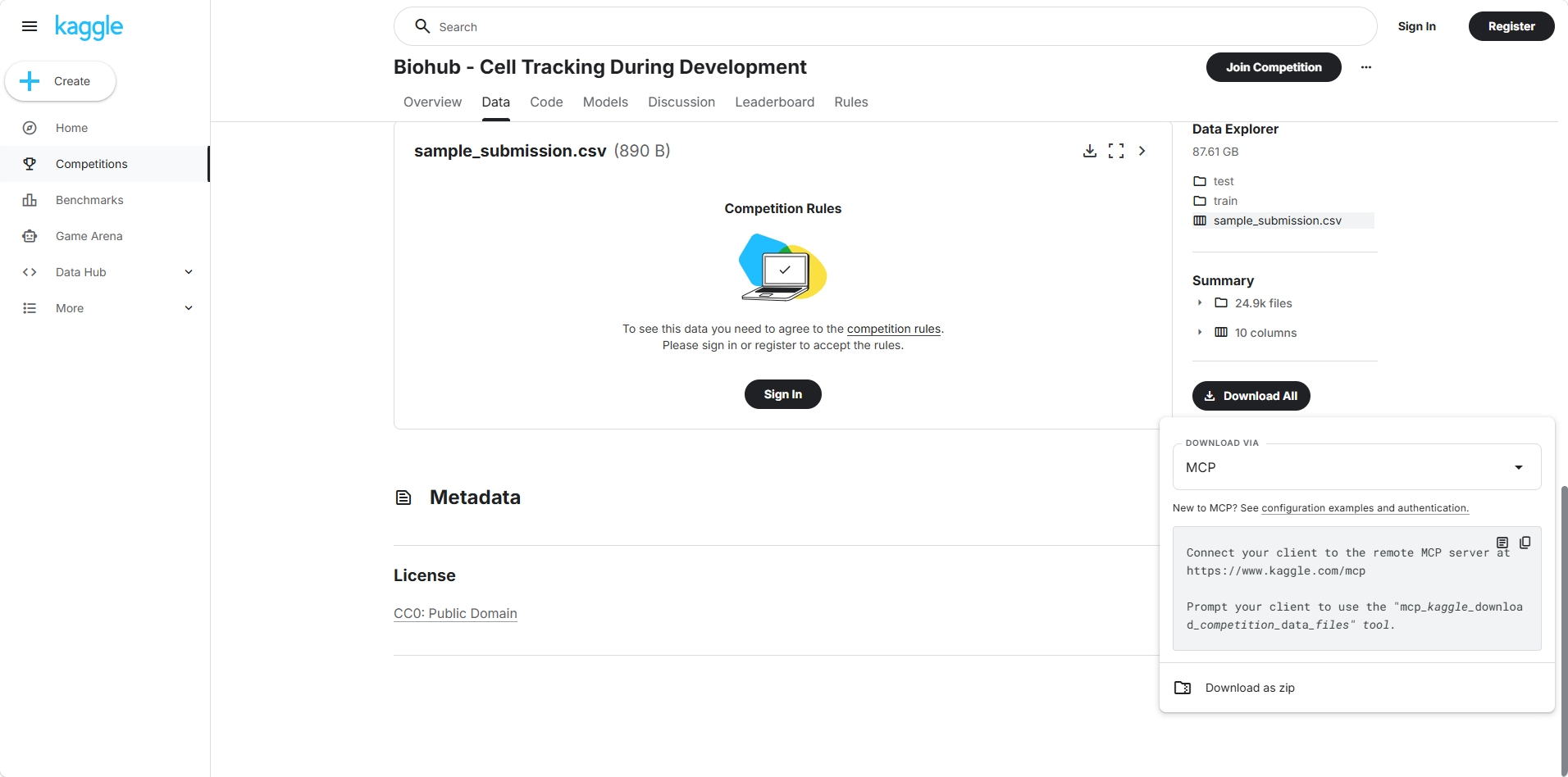
Installing the MCP into Claude.ai - which nicely syncs connectors and auth across the web app, the phone app, and Claude Code CLI - was plain sailing. Until I asked, “download the competition data”: 403, no access. Every non-OAuth endpoint worked; every authenticated one didn’t.
To be fair to Kaggle, I hadn’t read their docs. When I did:
If your client is not OAuth 2.0 compliant, you can also use token authentication.
So I made a token, because neither Claude.ai nor Claude Code will drive Kaggle’s OAuth for me:
Some resources or endpoints require authorization. To unlock full access you can authorize using OAuth 2.0.
Gemini CLI - simply run:
/mcp auth kaggleOther clients/IDEs - for clients without a command to initiate auth discovery, you can call the
authorizetool.
From here I had two choices. Reinstall the MCP locally in Claude Code with the token baked into a header - and lose the cross-platform sync:
{
  "mcpServers": {
    "kaggle": {
      "command": "npx",
      "args": [
        "mcp-remote",
        "https://www.kaggle.com/mcp",
        "--header",
        "Authorization: Bearer YOUR_TOKEN"
      ]
    }
  }
}
Or just let Claude Code use the Kaggle CLI - that was easiest.
Now, this is really a Claude.ai limitation, not a Kaggle one. But Claude.ai is what we use at Jollyes Pets, and what I use personally to reach my own MCP from web Claude Code linked into GitHub repos (also another post to write). Thus, I thought it would be useful to share how to access MCPs using Claude.ai.
1. The main one - OAuth 2.0
This runs exactly opposite to the example above. Claude.ai can do OAuth - it just won’t kick the flow off itself the way Kaggle expects (a command, or calling an authorize tool). Instead it responds to a challenge: your MCP returns a 401 pointing at its /.well-known/ metadata1, and Claude discovers the rest. If your identity provider supports Dynamic Client Registration, that’s all it takes - paste the URL and go. We use Entra, whose dynamic registration is locked down, so we pre-register the app and hand Claude a Client ID and Secret (which, wisely, Kaggle don’t hand out). Either way, the auto-discovery and OAuth machinery lives on your server.
This works fantastically well for Jollyes. We already SSO into Claude.ai through Entra, so the natural flow is to use that same SSO to reach the MCP. The huge benefit, beyond security, is that we can see exactly who is using the MCP and for what.
The catch is non-domain users - subcontractors on other Entra tenants - who still need access. We could have built multi-tenant auth on the backend; more simply, we add their accounts as guest users in our own Entra.
There’s a side benefit too. Because the MCP sits behind SSO in Claude.ai, every session a user spawns - whether or not they touch the MCP that session - triggers a /validate call. This means we can measure overall AI usage across the business, aside from MCP usage.
2. The easy one - no auth
Sometimes we’re happy to share!
3. The neat one - a token or a hash
You might say this is exactly what Kaggle offers by adding a token into a header at set-up time, and you’d be right. I hit the same wall I did with the Kaggle MCP: I really wanted my personal MCP available to web Claude Code2 (as it links into Github directly, meaning you can make changes to any repo in the phone app), and Claude.ai connectors take only a URL. The work around was to allow the token as a query parameter3:
https://mcp.matthew-johnston.com/mcp?token=XXX
We follow the same pattern at Jollyes wherever the tools are quick, short-lived, or light-touch, so a full SSO set-up isn’t worth it.
But I like knowing who’s calling. We could add a --user header, or a ?user= query param (which we do) - except, how do you know they are who they say they are? To do that, we ask for both ?user= and ?hash=, and don’t share the secret token. The server checks that sha2(secret_token + user) === hash. The hash proves you’re allowed in; and that you are who you say you are.
Why I care so much who’s who
Authentication makes sense on its own - we hold commercially sensitive documents on the Jollyes MCP, and on my personal one I don’t want people cheating at a game I host. However, to do that only requires an API key.
The real benefit of knowing who is calling is my current favourite MCP trick: dynamic tool registration. Agents request the connector’s tool list at run time from the MCP, meaning that we can return a different set of tools - and different definitions - per user. An easy example is that only our merchandising team gets write access to change stocking levels. The tool exists in the server, but only an allowlisted set of users ever see it.
Perhaps, even simpler, but even neater is personalising the tool descriptions themselves. Our draft_email tool comes back with:
Description: Prepare an email draft. Returns a
draft_idyou must pass tosend_email. Recipients must be@jollyes.com/jollyes.pet. From:claude@jollyes.com. The user you are talking to ismatt@jollyes.com- use this address for “email me” / “send this to me” / “ping me” style requests unless they name a different recipient.
Naturally, that email address is personalised to each user, so after an analytics session, I can just ask Claude to drop me that in an email.
Closing
The Kaggle MCP might already be set up correctly (I never got it working…), but I’d suggest two improvements:
- Only advertise the tools my current authentication state is allowed to call, rather than listing everything and 403-ing me halfway through (unless you want to fail loudly, which can be useful!).
- Let me pass my token in as a query param, so a URL-only client like Claude.ai can carry it.
To everyone else writing their own MCP, play with the dynamic nature of tool registrations and let me know of some more neat tricks.
To Anthropic, may you allow MCP setup on Claude.ai with custom headers?
I should start work on the Kaggle entry now!
-
Are they well known? Hacker News had two good threads on it recently. One pointed to this blog: mnot.net/blog/2026/well_known_uris and a separate discussion here. ↩
-
Confusingly distinct from CLI Claude Code. ↩
-
Which to be clear is unsupported and prohibited: Tokens or API keys passed in the connector URL (for example, ?token=, ?apiKey=, or ?userToken= query parameters) are not supported. The MCP authorization specification explicitly prohibits access tokens in the URI query string. ↩